Send one of the following symbols to find out more about my muse! Part I: (X)
Getting closer:
×
what does your muse smell like? what perfume/cologne are they using? �
do they shower often? every day or just every couple of days? ♻
how about brushing teeth? three times a day, or just in the morning? ⌘
do they rather shower or take a bath? ♀
how long does your muse usually need for a shower/bath?
⚣
how long does your muse need to shave? (this is also for the ladies!) ♂
does your muse put on make-up? how long do they need for it every day? ⚢
what kind of make-up does your muse use? favourite colours? how much do they use?
Exploring their body:
♤ does your muse have any scars? where? what do they look like? how did they get them? ♧ any freckles/moles/birth marks? where? ♡ are their fingernails dirty or clean? cut/long? ♢ how much do they weigh? ♠
any ‘weird’ characteristics on their body? one leg/arm longer than the other? ♣ are their veins particularly visible when they’re angry/upset/sad? ♥ do they have more muscles or more fat on their body? ♦ any tattoos? where? what’s the story behind them?
Open your closet:
⦂
what clothes do they sleep in? ♚ do they have a favourite piece of clothing? ❅ what do they usually wear when they’re not working? ☏ what do they wear when they’re at work? ₤
how many shoes do they have? what kind? Σ
how many purses do they have? ⌚ how long do they need to decide what to wear in the morning? ⌛ do they go shopping for clothes often? how long do they usually need? $ how much money do they spend on clothes every month?
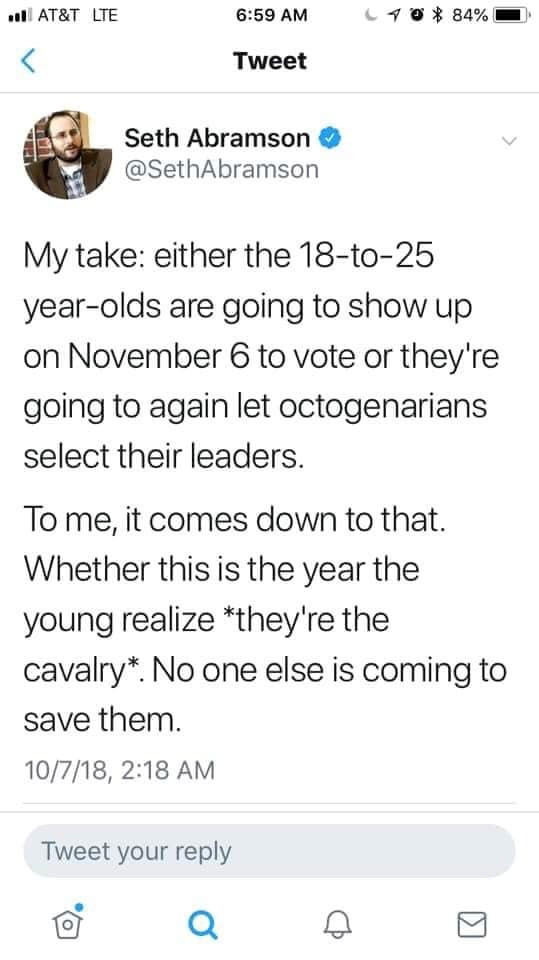
KIDS! In the US and elsewhere… older generations will use you as a prop but will work against making the world better for you, again and again. GET OUT THERE AND VOTE!
Please! Voting is super important and a right we need to make sure we’re using! There’s even early voting going on now so you can get it out of the way before November 6th!
hey!! sorry to hijack this post, but there are a bunch of ways you can make videogames without knowing shit about computers!!
for starters, there’s Twine, which is fucking great for making all kinds of interactive experiences (it’s what Crystal Warrior Ke$ha was made in so you KNOW it’s good) at all skill levels (i picked it up and made a game in two minutes a few nights ago)
if you want a bit more involved experience there’s Inform 7 which is a simple language for text-based adventure games that reads like slightly-weird English and also relatively easy to learn
you can do some pretty fucking cool stuff with Unity (my personal engine of choice) but you may need to dig a bit farther to get at the good stuff. there’s lots of really good presets though (i made an entire game just mixing and matching pre-existing templates and adding in my own art, won an award at a game jam for that one) and if you want help the community’s pretty dang friendly from what i’ve seen!
this is just a taste of what’s out there from what i’ve seen, but there’s so many cool resources out there. if anyone wants help getting started, i’m around to give you a leg up on making something in the coolest, most unexplored art medium around!
I’m addin’ to this post because lowering the barrier to entry for making games is super important to me!!!! If y’all have any questions about making games, you’re welcome to come and ask! I made this list a while back with some friends, so it has some of the programs John already mentioned.
2D Editors:
GameMaker : Potential for pure drag-and-drop “programming”. It is recommended to read-up on the program’s functions to make good use of it. Good for prototyping. Uses its own language called Game Maker Language (GML) that is similar to a C language (e.g. C++ or C#). For both Mac and PC; free version available.
Construct2 : Drag and drop level editor that uses an “If-Then” event sheet structure for programming. Good for prototyping and for beginners. For PC; free version available.
GameSalad : Drag and drop with no code requirement. Good for programming. For both Mac and PC; free version available.
Solpeo : HTML5 based game engine for 2D and isometric game development. Some programming knowledge needed. Platforms supported: Chrome, Firefox, Internet Explorer 9+. Free version available.
Stencyl : Drag and Drop “programming,” templates you can edit the variables/values for.
Scratch : Lego-block-style coding platform by MIT; totally free and a great intro to thinking in code. Very kid-friendly and comes with a community site. Browser version available.
3D Editors:
Unity : 3D editor that creates 3D games. Can build games for browser, as an app, or for mobile devices (iOS and Android). For both Mac and PC; free version available.
UDK (Unreal Development Kit) : Full-fledged, highly advanced editor. Features a complete set of tools that go from level design to visual scripting to cut-scene creation. Uses it’s own programming language called Unreal Script that can be arranged with Kismet, a visual code editor. For Mac and PC; free.
2D Art/Animation Software:
GIMP : Free photo editing and digital painting software.
Easy Paint Tool SAI : Free digital painting software with a UI similar to Photoshop.
Mischief : Free digital painting software with an endless canvas.
3D Art/Animation Software:
Sculptris : From the company that created Zbrush, this free software is ideal for beginning 3D sculptors.
Maya : Animation, VFX, lighting, and rendering software.
Magical Voxel : Voxel Art (3D Pixel Art). Very intuitive and quick to pick up.
SketchUp : Architectural modeling software, great for creating 3D environments and buildings. Free version available.
Text-Based Games:
Twine : Create interactive text stories using Twine’s visual map system that links your game together. Easy to learn and use. End result is browser-based. For Mac and PC; free.
Quest : Interactive text stories that you can build in-browser.
Ren’Py : Create visual novels using a modified version of Python that reads like a combination of stage directions and a CYOA novel. For PC, Mac, and Linux; free.
Audio Resources/Editors:
Indie Game Music : This site offers free indie music with no need to worry about royalties or licenses.
Audacity : A free, open-source, cross-platform sound editor that allows you to record and arrange sound.
Super Flash Bros. : This site allows you to record theremin-like (8bit) sounds and export them as .wav files for your games.
me being dragged away from the gallows to the palace dungeon by a pair of guards, hands shackled, raving like a madman, civilians gathered around and watching impassively: czerny should be pronounced zerny it should not be fucking pronounced cherny
me, shrieking, bloodied manacled hands clutching the bars as my cries reach the stadium many floors above: polish names are so stupid. whys it pronounced cherny. theres no ch. theres no fucking ch. theres n





 Time's Vengeance